7 min read ·
Delband App Guide: Your First Week, Step by Step
New to the Delband app? A practical first-week guide to setting up your profile, choosing preferences, liking and messaging well, calls, chat rooms and safety.
Delband app screenshot
By the Delband team
The first week on any dating app decides whether you stick with it. Rush the setup and you'll spend days wondering why nobody's replying; take an hour to do it properly and the Delband app starts working for you while you get on with your life. This guide walks through that first week in order — profile, preferences, Discover, conversations, calls and chat rooms — with the small decisions that make a real difference.
Day one: create your account and profile
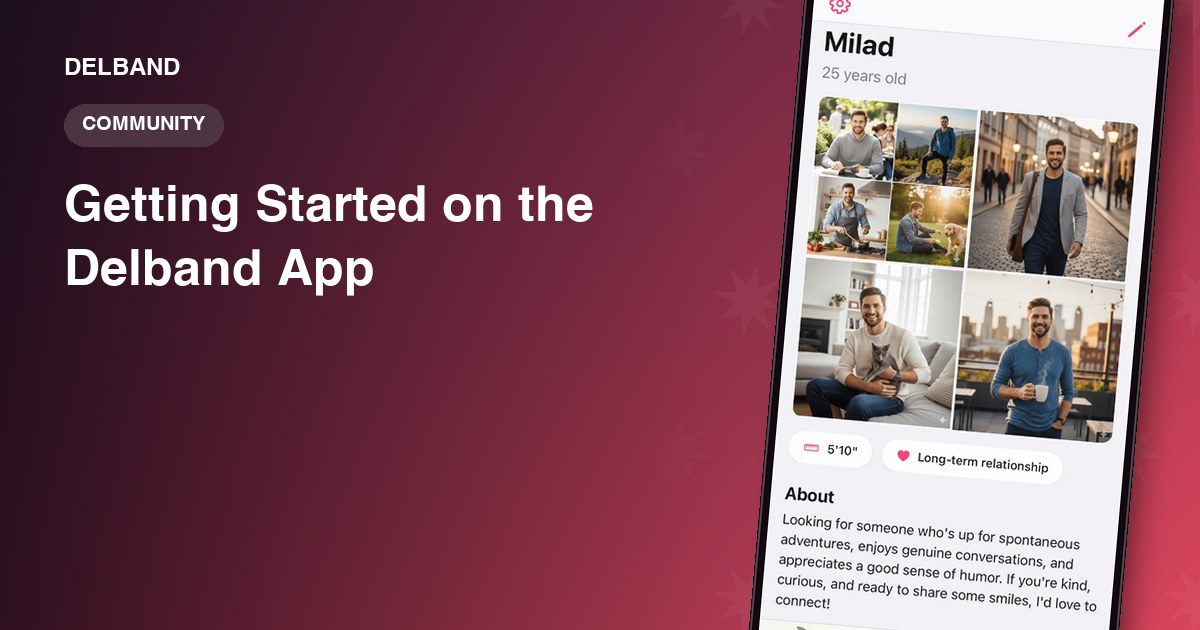
Download Delband from the App Store and sign up with your email and a password, or with Sign in with Apple. Email sign-ups get a verification link — open it to finish creating your account. Then you'll set up your profile. The required pieces are short: at least one photo, your name, birthday, height, gender, what you're looking for, and a bio of up to 500 characters.
Add photos — aim for four to six
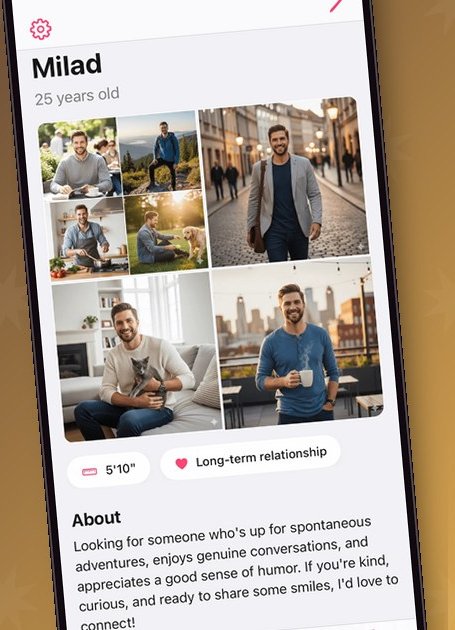
One is the minimum, six the maximum. Your first photo is your main one: make it a clear, recent shot of your face with no sunglasses. Add a full-length photo and one or two that show what you actually do — cooking, hiking, a family Nowruz table.
Pick what you're looking for honestly
The options are long-term relationship, short-term relationship, casual dating, friendship, or don't know yet. It shows on your profile, and being honest here saves everyone time.
Write a bio someone can reply to
Specific beats generic. “I make a mean ghormeh sabzi and I'm looking for someone to judge it” gives a match an opening; “I love travelling and good food” doesn't. Our profile bio examples have plenty more.
Fill in the optional details
Job, lifestyle (drinking, smoking, cannabis) and family (children, family plans) are optional, and each has a “prefer not to say” choice. Fill in what you're comfortable sharing — these are often the things Persian families ask about first anyway.
Day two: add profile questions and interests
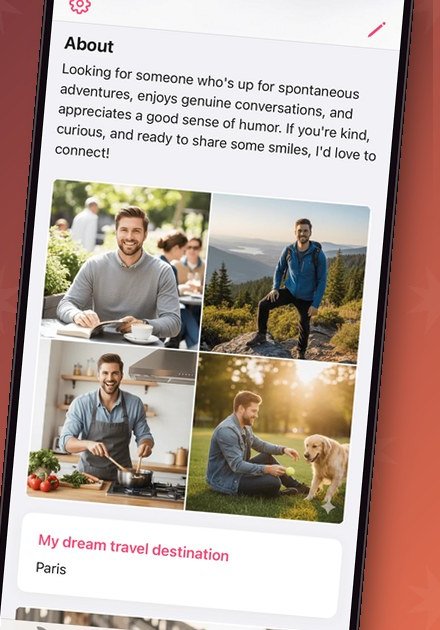
Once your profile exists, open it from the Profile tab and tap edit. This is where you can add the details that turn a profile into a conversation starter: education, up to ten interest tags, and profile questions — short prompts such as “My idea of a perfect date”, “My favorite type of food or cuisine” or “Coffee or tea?”. The app also has a tips screen with examples of strong and weak answers.
Profile questions are the single easiest way to make messaging easier for the other person. A match who sees “My dream travel destination: Shiraz in spring” has an obvious first line. A profile with only photos leaves them guessing.
Day three: set your location and preferences
Discover is built around distance, so it asks for location access. Delband only asks for “While Using the App” permission, and other members only ever see a rounded distance from them — never your exact position. (The full detail is in our guide to Delband and location privacy.) You can skip location and still use your profile and messages, but Discover won't show anyone until it's on.
Next, tap the slider icon at the top of Discover. Set an age range, a height range and a maximum distance. The distance starts at 50 miles; in a dense Persian area such as Los Angeles, Toronto or North Vancouver you might tighten it, and in a smaller city you'll probably want to widen it. Discover reloads with your new settings as soon as you save.
Days four and five: Discover, likes and first messages
Discover shows one profile at a time, nearest first. Read the whole profile before deciding — the bio and questions tell you far more than the first photo. Then pass, like, or tap the message button to say something straight away without waiting for a mutual like. People who like you appear on your Likes tab, where you can like them back to match or pass.
| Action | What happens | Best used when |
|---|---|---|
| Pass | You move on; they may reappear another day | You're genuinely not interested |
| Like | They see you on their Likes tab; a like back makes a match | You're interested but have nothing specific to say yet |
| Message | Your first message goes straight to them | Something in their profile gives you a real opening |
Free accounts have a daily allowance of likes and of messages in new conversations, so it pays to be selective rather than liking everyone. A short, specific message about something in their profile — their answer to a question, a city you both know, a dish in their photo — beats a dozen “salam, khoobi?” openers. Our first message tips and questions to ask a Persian match are worth five minutes before you start.
Day six: calls and the chat rooms
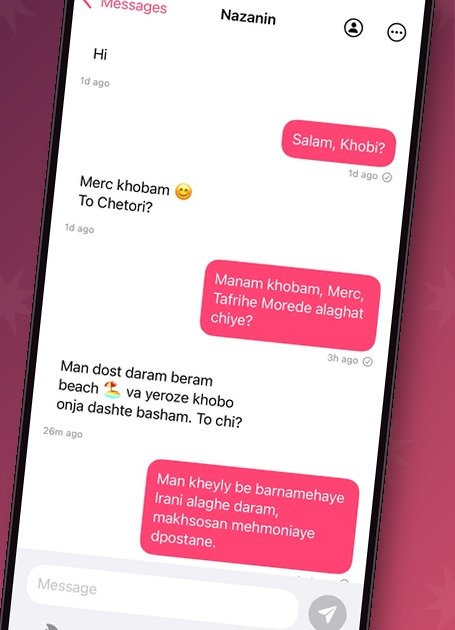
When a conversation with a match is going well, suggest a short video call before meeting. Delband lets matched members call by voice or video inside the app, so there's no need to swap phone numbers yet. Ten minutes on video tells you more than a week of texting — we explain why in video call before a first date.
Also try the chat rooms, under the theatre-masks tab. They're live group conversations — some for a city, some open to everyone — and messages aren't kept as a permanent record. It's a relaxed way to get a feel for who's around without the pressure of a one-to-one match.
Day seven: review, refine and stay safe
- Swap out any photo that isn't getting a reaction for a clearer or more recent one.
- Answer one more profile question — ideally something people can ask you about.
- Check your distance setting against how far you'd really travel for a first date.
- Block or report anyone who makes you uncomfortable; reports are anonymous and reviewed by the team.
- Pay attention to Delband's warning on messages that mention money, gift cards or moving to another app, and never send money to someone you haven't met.
A good first week isn't about how many people you match with. It's about having two or three conversations worth continuing.
Frequently asked questions
How long does it take to set up a Delband profile?
The required part takes a few minutes: at least one photo, your name, birthday, height, gender, what you're looking for and a short bio. Adding four to six good photos, profile questions and interests is worth another half hour, because it gives matches something specific to reply to.
What should I write in my Delband bio?
Be specific and give people a way in. Mention something you actually do, a place you love, or a small opinion someone could disagree with. Bios can be up to 500 characters, so a few concrete sentences are plenty. Avoid listing your street, workplace or anything that pinpoints where you live.
Why is Discover empty when I first open the app?
Usually because location is off. Discover needs your location to show people nearby, so it will ask you to enable it. If location is on and you still see few people, try increasing your maximum distance with the slider icon at the top of Discover.
Should I like or message first on Delband?
Both work. A like is low-pressure and lets the other person decide. A direct message is bolder and works best when it refers to something in their profile. Since free accounts have a daily allowance, focus on profiles you're genuinely interested in rather than liking everyone.
When should I suggest meeting someone from Delband?
When you've had a real back-and-forth and ideally a short video call. Meet somewhere public, tell a friend where you'll be, and arrange your own way there and back. There's no fixed timeline — what matters is that you both feel comfortable.
That's a week well spent: a profile that sounds like you, settings that match your real life, and a handful of conversations with people close enough to meet. Delband is free on iPhone — the rest is up to the two of you.